
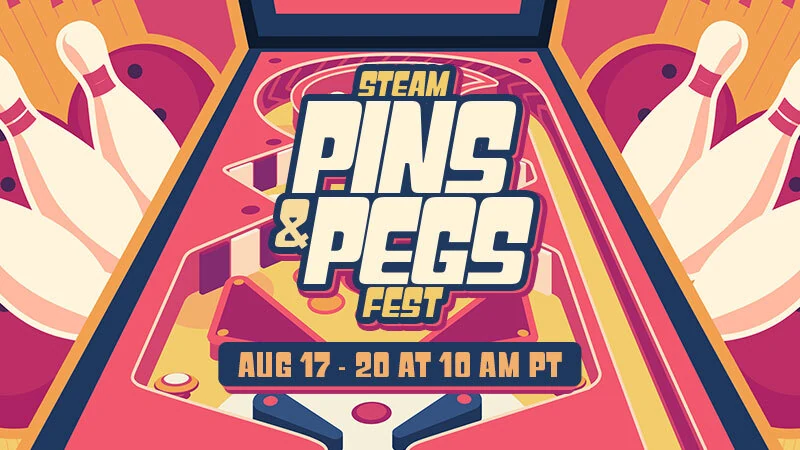
Steam Pins and Pegs Fest 2026 brought together pinball, bowling, brick-breaking and peg-based games, including deckbuilding and roguelike variations. Valve announced a 17–20 August sale window; its closing time translated to 21 August at 1am in Malaysia.
For Malaysian buyers exploring these games, the useful purchase checks are what the cart actually contains and which currency the Steam account uses. A free base game, a paid table pack and a standalone game are different purchases. Choose the content first, then calculate any MYR wallet credit needed.
The announced deadline in Malaysia
Valve’s Pins and Pegs Fest announcement set the closing time at 10am Pacific on 20 August 2026. Pacific daylight time is 15 hours behind Malaysia, placing that deadline at 1am MYT on 21 August.
That is the announced festival window, not a promise that a particular discount remains available. Use the offer and price shown on the game’s Steam page when deciding to buy. A category page can continue listing games and other offers after a festival.
Choose the game or table pack before adding credit
The fest’s theme covered several ways to play: aiming through pinball tables, knocking down bowling pins, clearing bricks and building strategies around pegs. The official trailer gives a quick view of that variety.
Use Steam’s Pins and Pegs category for Malaysia to build a shortlist, then open each item’s own store page. Check whether it is a full game or additional content, whether a base game is required, and whether you already own it. Review the system requirements and supported play modes before committing.
Free-to-play entries do not require a wallet-code purchase to access their free content. If you want a paid game or add-on, put that specific item in the cart before choosing how much credit to buy.
Check the wallet currency for your pins-and-pegs shortlist
Open Steam’s Account Details and check your store country and wallet currency. This MYR buying route is for a Malaysia store account using ringgit; being physically in Malaysia does not establish those settings.
Steam’s wallet guidance describes currency-restricted code redemption. Its store-country rules also state that a wallet code cannot change your store country. Resolve a mismatch before buying a code.
Once those checks match, buy Steam Wallet Code (MYR) for your ringgit pins-and-pegs shortlist, choosing the currency your account can redeem rather than assuming a foreign-currency code will work.
Fund the gap in your final cart
Subtract your existing wallet balance from the final cart total. The result is the additional credit needed if you want to cover the purchase entirely with wallet funds. If your balance already covers it, there is no need to buy another code.
Illustration only: a RM34 cart with RM10 already in the wallet leaves a RM24 shortfall. Those are example figures, not a game price or festival discount. SuprimX lists a MYR24 denomination; compare the available denominations with your actual shortfall and review the checkout total. Its product page states that purchases are non-refundable and non-returnable.
With the game or table pack confirmed, buy Steam Wallet Code (MYR) to cover your chosen game or table-pack shortfall. Base the amount on that final cart, not the size of the sale.
Redeem the code and return to Steam checkout
- Sign in to the Steam account whose country and wallet currency you checked.
- Open Account Details → Add funds to your Steam Wallet → Redeem a Steam Gift Card or Wallet Code.
- Enter the code in the Steam Wallet Code field and select Continue.
- Confirm the updated balance, then return to the cart and complete the game or add-on purchase.
Adding wallet funds does not itself buy the item. If redemption fails, recheck the account, currency and typed characters, and use Steam Support or the seller’s support as appropriate. Avoid buying a second code to work around an unexplained error.